
Build reusable show graphics.
Create and edit reusable graphics. Add a graphic to the active Sequence and use Save Show to keep your changes.
Dekorum · Private beta
Design · Operate · Output
Design a graphic, prepare it in Preview and use Take to put it on Program. A separate browser Output carries Program into your production workflow.
The link opens Dekorum’s access page. Requests are reviewed separately and do not grant immediate access. Invited users sign in by magic link.
Three focused surfaces
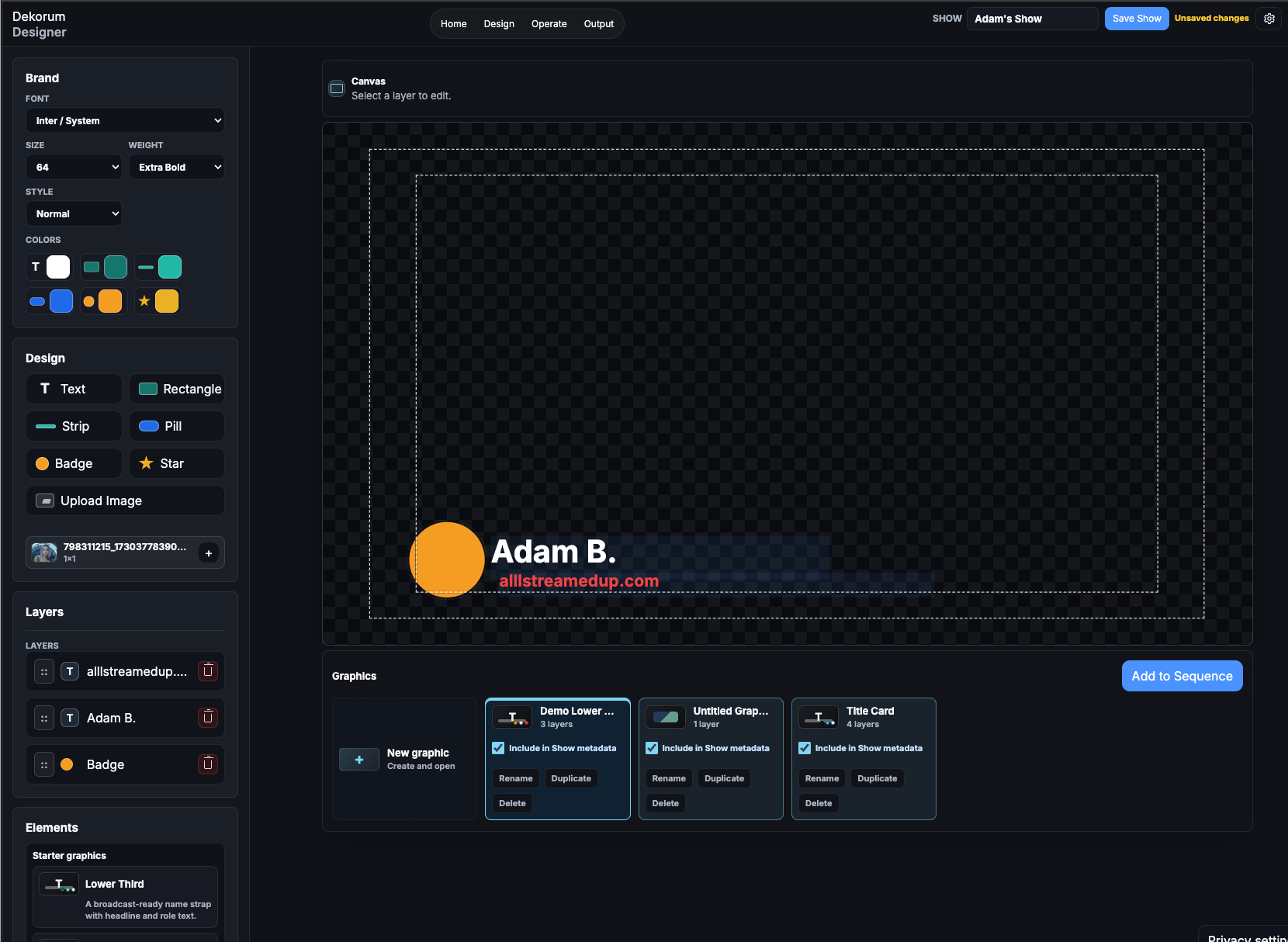
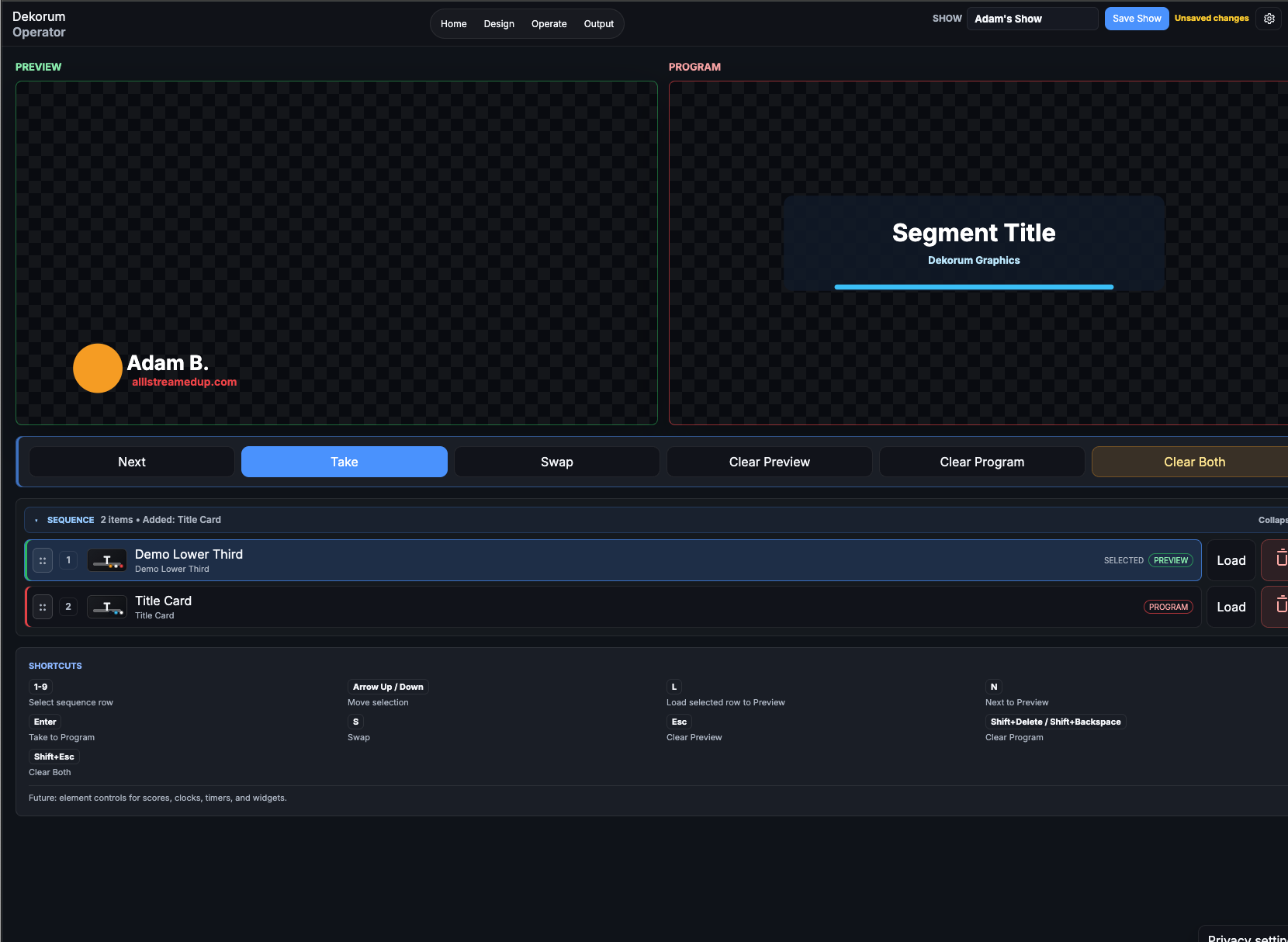
Designer creates the graphics. Operator prepares the next graphic in Preview and uses Take to update Program. Output shows Program without editing controls. The screenshots show the private-beta interface.
Create and edit reusable graphics. Add a graphic to the active Sequence and use Save Show to keep your changes.
Load a queued graphic into Preview, review it, then use Take to put it on Program.
Show Program in a separate, clean browser page without Designer or Operator controls.
Sequence-first operation
Add to Sequence creates a reference to a graphic. In Operator, load a row into Preview, then use Take to update Program.
Fits browser-source production
The current beta’s Output is unauthenticated so a browser source can render Program without account chrome.
These are workflow destinations, not certification or endorsement claims. Test the private beta with your exact browser-source and production setup before relying on it for a critical show.
Current private-beta boundary
Invited users sign in by magic link and open account-owned Shows. Use Save Show to keep your changes; do not rely on autosave. Import and export .gfxproject.json files as project backups for Dekorum.
Billing, team workspaces and production-readiness guarantees are not part of the current beta. The service can change, and it should be rehearsed before real production use.
Future direction · not implemented
A .gfxproject.json file keeps Dekorum project data in its own format. It is a project backup for Dekorum, not a general HTML graphics export.
OGraf interoperability remains a future direction. OGraf import, export and conformance are not implemented in the current beta. The current project format is not an OGraf production package.
Built for small live-production teams
Prepare lower thirds, topic cards and show graphics, then keep live playout separate from design.
Build a sequence for speakers and sessions while an operator controls what reaches Program.
Use browser-based authoring and output without installing a desktop graphics suite on every surface.
Pair a clean browser Output with the production system you already operate and keep a portable project export.
Privacy and control
Dekorum’s optional anonymous usage reporting is off until a user chooses it. Eligible reporting is limited to an origin-scoped random installation identifier, app version, build and tier.
It excludes Show content, Project identifiers, filenames, account identity and Output. Private-preview access administration and anonymous product telemetry remain separate systems.
Before you request access
Dekorum is in private beta. Invited users can sign in and open their saved Shows. Other visitors can request access; a request does not grant access. Requests are reviewed separately.
Dekorum provides one clean, Program-only browser Output without authoring controls. Test the private beta with your exact browser-source software and network before a critical production.
Use Save Show to save changes to your account-owned Show. Saving is explicit; do not rely on autosave. You can also import and export .gfxproject.json project backups for Dekorum.
Not in the current beta. Multi-output is a direction informed by producer feedback, not a shipping capability.
OGraf interoperability is a future direction. Import, export and conformance are not implemented in the current beta. Current project portability uses Dekorum’s own .gfxproject.json format.
Dekorum remains a private beta without a production-readiness guarantee. Rehearse the complete workflow and keep a fallback before any real show.
Private beta
Request access to be considered for the private beta. Requests are reviewed separately; invited users sign in by magic link.
Request beta access